WordPress Plugin • Gumroad Sync

Turn your Gumroad store into a clean WordPress catalog — automatically.

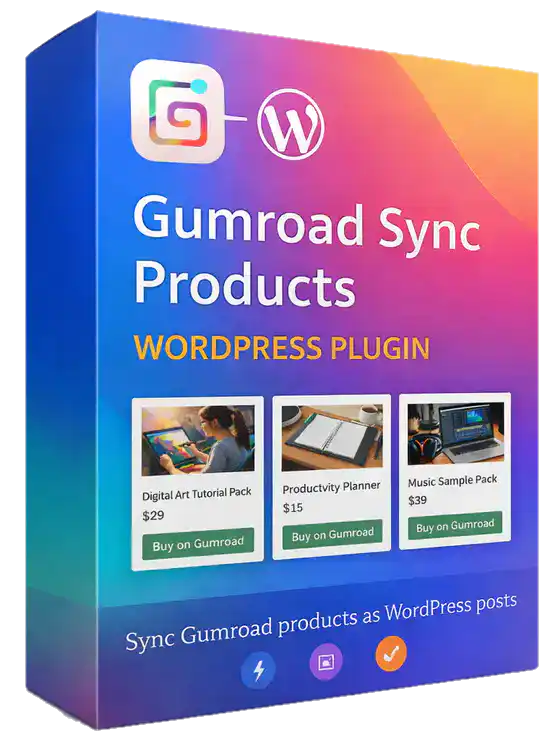
Sync your existing Gumroad products into WordPress as Posts, Pages, or a dedicated Gumroad Products custom post type. Then display them with modern templates and clear Buy on Gumroad buttons.

Background Sync
Batch processing, fewer timeouts
Styled Templates
Modern / Classic / Minimal
Selective Sync
Sync some or sync all
Live WordPress Admin
One-click sync
Connect with your Gumroad Personal Access Token, choose products, then sync into Posts/Pages/CPT.
Perfect for creators who want:
A WordPress product catalog without manually rebuilding product pages.
Better discovery
SEO-friendly pages on your own domain
Cleaner catalog
Unified templates + consistent layout
Less risk
Draft-first Syncs and safe updates

Everything you need to sync Gumroad → WordPress

Sync products, keep them updated, and show them with clean front-end templates that don’t look “unstyled.”

Connect with your token

Use your Gumroad Personal Access Token to fetch product data securely and reliably.

Sync to Posts, Pages, or CPT

Create or update WordPress content for each selected product — your choice of structure.

Product meta stored automatically

Gumroad ID, price, link, variants and more can be saved as post meta for templates and shortcodes.

Featured image Sync

Pulls in the Gumroad product image and set it as the WordPress featured image.

Manual Sync (one click)

Sync on demand inside WP Admin whenever you add or update products in Gumroad.

Background Sync (batch mode)

For large catalogs, process products in batches and tune batch size to reduce timeouts.

Smarter product selection
  • Fetch a list of your Gumroad products directly in WP Admin
  • Search and paginate large lists
  • Select specific products to sync — or sync everything
  • Set default Sync status: Draft (recommended) or Published
Shortcode for buy buttons

Place a purchase CTA anywhere with a simple shortcode:

[gumroad_buy_button id="UiS6sKOHkEMhCzyHarA==" btn="1"]

Great for blog posts, landing pages, or curated collections — without rebuilding checkout flows.

How it works (high-level)

Setup takes minutes. The plugin pulls product data from Gumroad, creates or updates your WordPress content, and adds a clear “Buy on Gumroad” button so visitors can purchase on Gumroad.

Paste your token in the plugin settings to enable product retrieval from Gumroad.

Search, paginate, and select exactly what to sync — or sync your full catalog.

One-click manual sync for quick updates, or background sync for large stores to reduce timeouts.

Pick a template style (Modern / Classic / Minimal). Visitors see consistent pages with a Buy button.
IMPORTANT NOTE
This plugin Syncs from Gumroad into WordPress. It does not create or upload products to Gumroad. “Add New Gumroad Product” in WordPress is local-only (a WP entry, not a Gumroad upload).
Getting your Gumroad API key
API Key Video
If you can follow this video about getting and setting up your Gumroad API key, you can use this WordPress plugin! The rest is a breeze and takes about 10 minutes to sync your first products. Get your copy of Gumroad Sync for WordPress today and save.

Choose a template style that matches your brand

Switch between layouts without redesigning every page. Keep your catalog consistent across products.
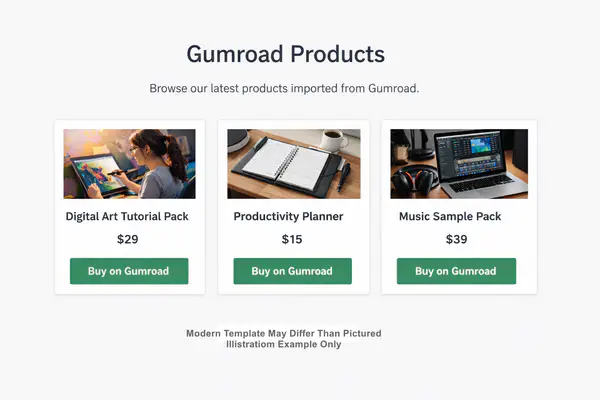
Modern template placeholder
Modern

Bold headings, strong spacing, and a polished “product page” feel.
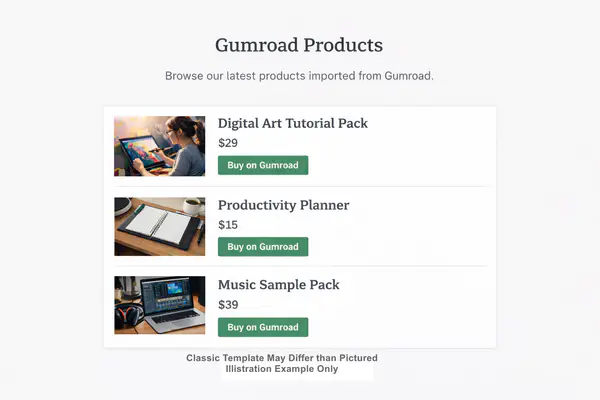
Classic template placeholder
Classic

Familiar blog-style layout — great for creators who want simple structure and readability.
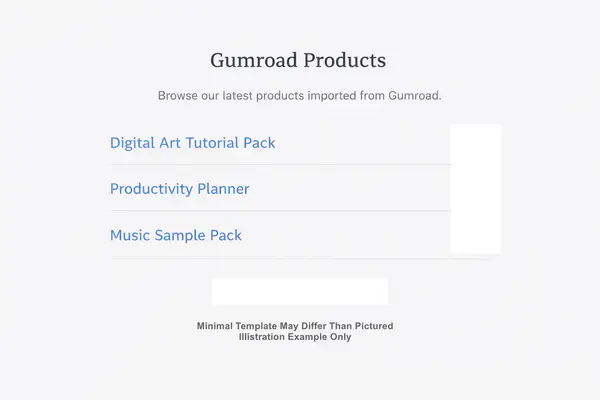
Minimal template placeholder
Minimal

Clean and lightweight — focuses attention on the copy and the Buy button.
Who this is for

If you already sell on Gumroad but want your products discoverable on your WordPress site, this plugin is built for you.

Creators & educators
List courses, downloads, templates, and guides on your own domain.
Large Gumroad stores
Batch syncing helps avoid server timeouts with big catalogs.
Marketers & bloggers
Embed buy buttons inside posts and landing pages with a shortcode.
Catalog builders
Turn products into Posts/Pages/CPT entries for easy organization.

Requirements
  • A WordPress site with permission to install plugins
  • A Gumroad Personal Access Token (API key) to retrieve products
Quick summary
Gumroad → WP

Sync products into WordPress content, display them with templates, and send buyers to Gumroad checkout.

  • Manual + background sync
  • Posts, Pages, or CPT Sync
  • Template styles included
  • Buy button shortcode
View Pricing
Tip: Sync as Draft first, review pages, then publish when ready.

Founders Special Pricing

This is a new WordPress plugin and we want to get as many copies as possible in the hands of fellow Gumroad users.
For a LIMITED TIME you can save a cool $70!

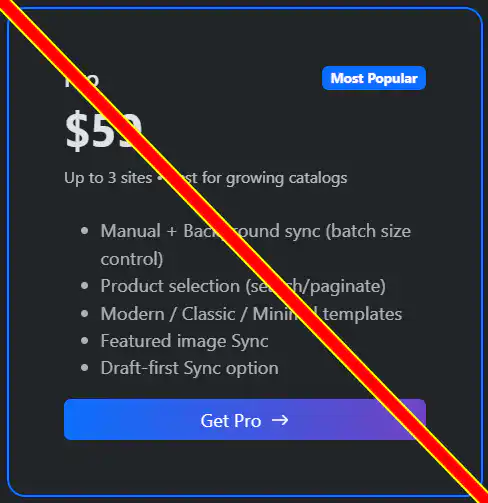
Starter Agency One Time Cost
$59
One site • Basic sync & templates
*UNLIMITED Sites • Basic sync & Templates
  • Manual sync
  • Sync to Posts/Pages/CPT
  • Buy button shortcode
  • Optional yearly maintenance fee *
Buy on Gumroad
*UNLIMITED Sites • Yours or a PAYING Client.
IMPORTANT - READ ME
FOR A LIMITED TIME you get all the features of Pro and Agency for low ONE-TIME fee. This will last until we deem necessary but will end at any time without notice.

* All of the plans will offer a yearly maintenance fee in future price change. You can lock in a very special yearly price of $12.95 with your purchase today.

FAQ

Get clear answers so you know exactly what this plugin does (and doesn’t do).

No. This plugin Syncs products from Gumroad into WordPress. It does not create or upload products to Gumroad.

The plugin creates/updates a Post, Page, or CPT entry and stores Gumroad details (like ID, price, link, variants) as post meta. It also Sync's the product image as the featured image.

For large catalogs, use Background Sync. Products are processed in batches, and you can configure the batch size to match your hosting limits and avoid long-running requests. Please keep in mind that cheap web host plans COULD STILL TIMEOUT, we have done what we can to try and cover that.

Yes. Fetch your Gumroad products inside WP Admin, search + paginate, and select specific products to sync — or sync all.

It’s a local WordPress entry for organizing and displaying content. It does not create a product in Gumroad.

Ready to sync your Gumroad products into WordPress?

Stop rebuilding product pages by hand. Sync, update, and display products with templates that look clean out of the box.

Requires a WordPress site + Gumroad Personal Access Token.
image showing product grid with buy buttons